


Recovery Photo Ultra
4.2142.00 Reviews
App Specs
- Version
- 1.11
- Updated On
- License
- Free
- Downloads
- 1,000,000+
- Developer
- hk3072072
- Categories
- Tools
- Platform
- Android
Screenshots




 Analysis by AppCompare
I would keep one question in mind before trying any recovery tool: what would count as success for this particular file? A clear photo, a playable video, and a document that opens are different tests. Deciding that upfront helps prevent a promising-looking thumbnail from being mistaken for a usable recovery.
Set a realistic target before you begin
For a single lost picture, the goal may simply be to get a readable copy back. For a video, you may need the whole clip, not just a preview. If the missing item is part of a larger group, such as a set of work documents, preserving the surrounding files and their organization may matter as much as finding one filename. Recovery Photo Ultra is best approached as a way to search for individual missing material, not as a promise to rebuild a previous filing system.
That distinction also helps answer whether it is the right tool for you. If you want a quick first attempt on an Android phone and can judge the results yourself, it is a reasonable fit. If you need to restore a complete device state, preserve a complex folder structure, or meet a work deadline with no room for uncertainty, a backup or professional service is the more sensible starting point.
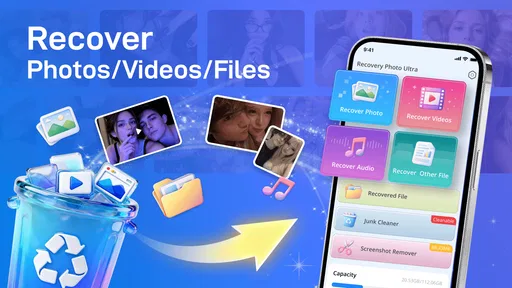
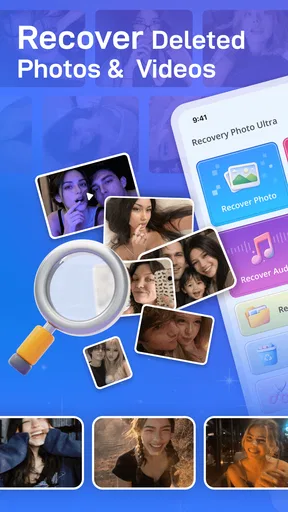
Accidentally deleting a photo feels minor until you need it back. Recovery Photo Ultra is aimed at that uneasy moment: it is a free Android tools app from hk3072072 that focuses on recovering photos, videos, and files. I like the direct purpose, but I would approach any recovery app with realistic expectations. A quick scan can be worth trying; it cannot guarantee that a deleted item is still recoverable.
Why recovery can feel less simple than one tap
The name Recovery Photo Ultra sets an appealingly simple expectation, and its store summary emphasizes starting recovery with a tap. In practice, deleted-file recovery depends on what happened after deletion, where the item was stored, and whether the phone still has access to the relevant data. That means a straightforward interface can make the first attempt easier without making every lost file recoverable.
The most common point of confusion is finding a file and assuming that means it is restored to its original place. Treat the results as something to inspect carefully: check whether the item is the right photo or video, then confirm where it ends up before relying on it. If several similar images appear, use visible details such as the subject and framing rather than selecting the first match.
Timing matters, too. If you have just noticed a deletion, avoid taking lots of new photos, downloading large files, or installing several recovery tools before trying. New activity can make recovery harder on storage that has been reused. This is a general precaution, not a special trick inside this app, but it is one of the most useful things to do before any recovery attempt.
Worth Reading Before You Choose

EA SPORTS FC Mobile 26 Is a Bigger Football Game, but It Takes Time

Flipboard Shows What News Apps Must Do Beyond the Feed

Switching to Android Auto Means Rethinking Your Driving Routine

Google Calendar Makes a Crowded Week Easier to Manage

Ludo King Makes the Most of the Minutes Between Plans

Baby Panda World Brings Quick Play to Modern Phones, but Its Game Library Feels Busy
There is also a difference between a file being deleted and a file being unavailable. A photo may have been moved, hidden in a different folder, or removed from a gallery view while remaining elsewhere on the device. Before scanning, check the places you normally use to manage photos and files. That simple check can save time and avoid treating a visibility problem as permanent data loss.
Before the first scan: a few practical checks
Recovery Photo Ultra is listed for Android devices running version 7.0 or later. Before installing, check the Android version in your phone’s settings; compatibility is a more useful first check than starting a recovery attempt and only then discovering the device is too old. The app is rated for Everyone, which describes its content rating rather than promising that every recovery process will be equally easy for every user.
Once installed, keep the first attempt focused. Think about what was deleted, roughly when it happened, and whether it was a photo, a video, or another file. If the app asks you to make a choice, use that information instead of repeatedly changing options at random. A targeted, patient attempt is easier to judge than several scans whose results you cannot distinguish.
Give the process enough time to finish and keep the phone available. If a scan appears slow, avoid closing the app immediately or launching multiple recovery utilities at once. Switching between tools can make it harder to tell which results came from which attempt. If the app seems stuck, a sensible first response is to close unnecessary apps, make sure the device has usable storage, and try again once rather than tapping through repeatedly.
For a worthwhile result, inspect recovered items before moving on. Open a photo or video if possible, and check that it is complete and usable. A thumbnail or filename alone may not tell you whether the full file has come back. For important material, save a recovered copy somewhere you can identify and check it again before deleting anything else or cleaning up folders.
A careful workflow for photos, videos, and files
For a missing photo, I would begin with the least disruptive checks: look through the phone’s ordinary photo and file locations, then use Recovery Photo Ultra if the item is genuinely absent. Keep the search narrow in your own mind. If you know the picture was a screenshot, for example, focus on that rather than treating every result as equally likely. When you find a candidate, compare it with what you remember before deciding it is the original.
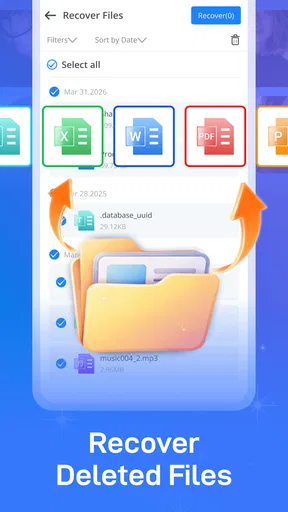
Videos deserve an extra check because a preview does not prove that playback will work from beginning to end. If you recover a clip, open it and test more than the first moment. For a document or other file, check that the file opens in the appropriate app. This small verification step is more reliable than assuming recovery succeeded just because an item appeared in a result.
A realistic example: you delete a picture while clearing space, then realize later that it showed a receipt you need. I would stop taking unnecessary pictures, check the usual photo locations, and make one deliberate recovery attempt. If a likely image appears, I would open it, confirm the receipt is legible, and keep a separate copy before returning to routine phone cleanup. The point is to protect the potential recovery, not to rush through a list of matches.
For a broader loss involving many files, be more conservative. Decide whether the missing material is important enough to justify getting help before making repeated attempts. Recovery apps are convenient to try, but if the files are irreplaceable or the phone has suffered physical damage, a specialist may be a better next step than experimenting. The more valuable the data, the less appealing trial-and-error becomes.
It is also worth separating recovery from backup. This app is for trying to retrieve missing material; it is not a substitute for keeping another copy of important photos and documents. After recovering something valuable, move a copy to a safer place you already trust. That turns a one-time rescue into a practical lesson for the next accidental deletion.
When the phone or storage is the real obstacle
Sometimes an app cannot help because the problem is not a recoverable deletion. If a storage card is unreadable, the phone cannot access the relevant location, or the device has hardware trouble, repeating the same scan may not change the result. In that situation, stop and consider whether the files matter enough to seek technical assistance. More attempts are not automatically better.
Likewise, a photo missing from one gallery does not necessarily mean its underlying file was erased. A change in folders or a display issue can make a picture disappear from the place you expect to see it. Checking other ordinary file locations first helps distinguish that kind of problem from deletion and gives you a clearer idea of what you are asking the recovery app to do.
Recovery Photo Ultra is not the right choice if you need a dependable, guaranteed restore, or if your data is too important to risk experimenting with. In those cases, use a backup you already maintain or ask a qualified repair or data-recovery professional. Compared with manually searching folders, a recovery tool offers a more direct attempt at finding lost items; compared with a backup, it is a less certain fallback. Those approaches solve different problems, so I would not treat them as interchangeable.
Be patient with inconclusive results. A scan that does not show the file is disappointing, but repeatedly changing settings without understanding what changed can waste time. Make a note of what you tried, avoid unnecessary device activity, and decide whether another attempt is sensible or whether the situation calls for a different route.
Who will get the most from it
The app makes the most sense for someone who has just deleted a personal photo, video, or file and wants a simple first recovery attempt on a compatible Android phone. It is also a reasonable option for people who are comfortable checking results themselves rather than expecting the app to make every decision. Its focused purpose is easier to understand than a general file-management tool when the immediate goal is to look for missing items.
It is less suitable for someone who expects deleted files to reappear automatically, needs a guaranteed outcome, or is working with damaged storage. If you already keep reliable backups, restoring from those may be the calmer and more predictable option. If the missing material is critical, I would choose caution over repeated experiments, even if trying a free app initially seems convenient.
The developer is listed as hk3072072, and the app’s current version is 1.11. Its average rating is 4.1 from around 3.1 thousand ratings, with over 1 million installs. Those figures suggest that many Android users have tried it, but popularity cannot tell you whether a particular deleted file remains recoverable. I would use them as context, not as a promise about your own result.
A practical recommendation, with limits
Recovery Photo Ultra is worth considering as a first, free attempt when a recently deleted photo, video, or file matters enough to look for but not enough to justify immediately turning the phone over to a specialist. The strongest part of its appeal is that the purpose is clear: try to recover missing items without first navigating a more general-purpose utility. Just remember that an easy starting point is not the same as a guaranteed restoration.
My recommendation is to check the obvious storage locations first, limit new activity if the deletion just happened, and make one careful attempt. Inspect every recovered item before trusting it, especially videos and documents. If the file does not appear, the device has a storage problem, or the data is irreplaceable, switch to a backup or professional help rather than treating repeated scans as a sure fix. Used with those limits in mind, this tool can be a practical first step—not a replacement for backups or expert recovery.
Choose the next step based on the stakes
A useful way to decide what to do after a scan is to match the next step to the value of the missing file. For an ordinary photo you would like back, one careful attempt may be enough to satisfy curiosity. For a tax document, a work file, or a once-in-a-lifetime family video, the cost of an incomplete or misleading result is higher. In that case, pause before trying more utilities and consider whether a backup, another copy, or expert advice offers a safer route.
If a recovery attempt finds several near-duplicates, avoid cleaning up the results immediately. Compare them against what you remember, open the strongest candidates, and keep only copies you have checked. This is a small but useful discipline: it reduces the chance of mistaking a preview or similarly named item for the file you actually need, and it makes later decisions clearer.
Overall, I see this as a narrowly useful tool rather than an all-purpose safety net. Its appeal is the chance to make a straightforward attempt on a compatible Android device; its limit is the uncertainty inherent in recovering deleted material. I would keep expectations modest, protect any recovered copy, and rely on a separate backup habit for anything I cannot afford to lose.
Pros
- Simple interface makes photo recovery easy to navigate.
- Scans device storage for deleted photos.
- Lets you preview images before restoring them.
- Can help recover photos without connecting to a computer.
- Useful for checking whether deleted pictures are still recoverable.
Cons
- Recovery is not guaranteed
- especially after storage has been overwritten.
- A scan may return thumbnails or duplicates rather than original photos.
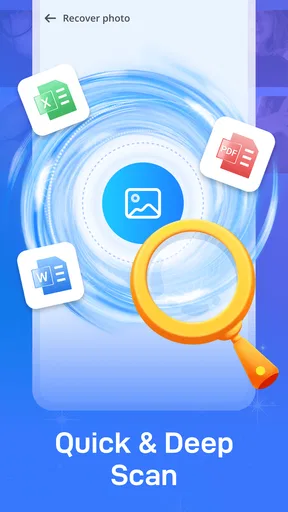
- Deep scans can take a while on devices with lots of files.
- Recovered files may need to be saved to a different location.
- Results depend on device access and Android storage restrictions.
FAQs for Recovery Photo Ultra
What does Recovery Photo Ultra do?
Recovery Photo Ultra is designed to help you look for deleted or missing photos on a device. The results depend on how the images were removed, how much time has passed, and whether new data has overwritten the storage space. It may find some recoverable files, but it cannot guarantee that every deleted photo can be restored.
Can Recovery Photo Ultra recover every deleted photo?
No recovery app can promise to bring back every deleted photo. Recovery may be unsuccessful if the file data has been overwritten, the image was permanently removed, or the app cannot access the relevant storage location. Check any available previews and recovery details before relying on a result, and keep backups of important photos whenever possible.
Does Recovery Photo Ultra require special permissions or root access?
The permissions and access required can vary by device and operating system version. The app may need permission to scan or access files and photos, and some deeper scans may be limited without additional system access. Review the permission prompts carefully, and avoid granting access that does not seem necessary for the recovery features you plan to use.
Is Recovery Photo Ultra free to use?
Pricing can depend on the version and the store listing available in your region. Some recovery apps provide basic scanning at no charge but may put recovery, export, or other features behind in-app purchases or subscriptions. Before installing, check the current listing for prices, trial terms, and cancellation details so you know whether recovering files will require payment.
How can I improve the chances of recovering photos with Recovery Photo Ultra?
If a photo has just disappeared, avoid taking new pictures, downloading files, or installing additional apps on the same storage, since new data may overwrite recoverable image data. Run a scan as soon as practical, follow the app’s instructions, and save recovered files to a different location when possible. Recovery remains uncertain, so cloud or device backups are the most reliable safeguard.


